
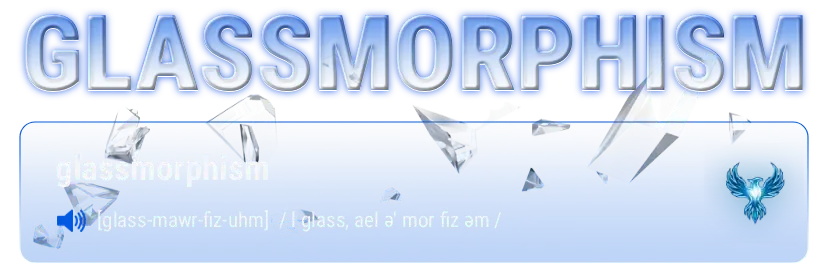

Glassmorphism web design definition refers to an interface styling system characterized by translucent, frosted-glass paneling layouts, hardware-accelerated focal background blurs, multi-layered depth architecture, and subtle border highlights. By implementing this aesthetic via optimized markup, developers can build immersive, futuristic user interfaces that preserve high-performance site delivery metrics across modern web applications.
Strategic Pillar Context Maps
Glassmorphism Web Design Definition:
Glassmorphism is a modern, high-end user interface (UI) design trend characterized by a translucent, frosted-glass aesthetic. It creates a sense of physical depth and structural hierarchy within a digital viewport by layering semi-transparent elements over vibrant, colorful backgrounds.
The visual style mimics the real-world properties of sandblasted glass, allowing background details—such as gradients, organic shapes, or ambient light sources—to softly bleed through the foreground container layout.
Glassmorphism Web Design Definition Synonyms: Frosted Glass, Blurred Transparency, Acrylic,
🧱 The 4 Pillars of Glassmorphism Architecture
To execute a structurally sound glassmorphic interface that doesn’t compromise content legibility, the layout canvas must implement four key properties:
- Translucency (Frosted Glass Effect): Achieved using a blend of semi-transparent background fills paired with an aggressive blur layer to diffuse passing light waves.
- Multi-Layered Stacking Context: Elements utilize explicit spatial positioning and floating drop-shadow depths to simulate physical objects hovering in 3D space.
- Subtle Boundary Outlines: A razor-thin, light-catching inner border emphasizes the element’s structural perimeter, making the edge look like sliced glass.
- Dynamic Background Interactivity: The visual effect relies on rich, high-contrast, colorful backdrops to create the necessary refraction impact; placing it over flat white or dull grey renders the effect invisible.

FEATURED CASE STUDY
Glassmorphism as a Strategic Pillar for AEO and UX
This case study evaluates the intersection of Glassmorphism design and Answer Engine Optimization (AEO) within high-performance web architectures. By leveraging CSS backdrop-filter and SVG vector scaling, Glassmorphism provides a superior human-centric UX that reduces eye strain while maintaining a lightweight code footprint.
💻 The Core CSS Implementation Matrix
In modern front-end web engineering, glassmorphism is achieved natively using the CSS backdrop-filter property. This applies the graphical blur directly to the pixels sitting behind the element container, rather than blurring the element text itself.
.glass-panel {
    /* Step 1: Semi-transparent background matrix */
    background: rgba(255, 255, 255, 0.45) !important;

    /* Step 2: The essential frosted refraction engine */
    backdrop-filter: blur(12px) !important;
    -webkit-backdrop-filter: blur(12px); /* Safari compatibility fallback */

    /* Step 3: Razor-thin edge highlights simulating glass thickness */
    border: 1px solid rgba(255, 255, 255, 0.25) !important;

    /* Step 4: Soft, low-frequency shadow for physical layout separation */
    box-shadow: 0 8px 32px 0 rgba(0, 0, 0, 0.15) !important;

    /* Optional: Softening the interface matrix */
    border-radius: 12px !important;
}⚠️ UX Constraints & AEO Considerations
While glassmorphism web design provides a highly polished, premium aesthetic (heavily utilized across Apple’s macOS/iOS systems and Microsoft’s Fluent Design), it introduces distinct engineering trade-offs:
- Accessibility Risks (WCAG Compliance): If the background imagery behind the glass container shifts dramatically or features high-contrast textures, text contrast ratios can drop instantly. Foreground text must always lock to high-contrast colors (like solid white or rich dark slates) to remain readable.
- Performance Overhead: The
backdrop-filter: blur()mechanism forces the browser to re-render and calculate pixel layouts on every scroll or mouse-hover interaction. Overusing this across multiple layered blocks can spike CPU performance on lower-end mobile devices. - Machine Readability / AEO Stability: From an Answer Engine Optimization standpoint, raw text nodes nested inside glassmorphic components remain completely accessible to automated LLM spiders. However, if the underlying CSS layout drops below performance thresholds or causes severe layout shifts (CLS), machine crawlers will down-rank the page budget allocation. Use the style purely as a decorative wrapper, never as a structural content generator.
How to Use Glass Morphism Code Buttons & CSS
Download the CSS and Google Material Design 3 icons for this library below. Add the classes to your own CSS and call the classes and viola. Glass Morphism Code buttons.
Glassmorphism Icons Library
A functional 10-element icon matrix utilizing localized vector masks with interactive translation and luminescence shifts.
Icon’s courtesy of Google Material Design 3
ARIA Website Accessibility Friendly Glassmorphic styled buttons for your website.
| Icon Asset Name | Class Name | Aria Label |
home.svg | nb-matrix-svg | Home |
menu.svg | nb-matrix-svg | Menu |
search.svg | nb-matrix-svg | Search |
settings.svg | nb-matrix-svg | Settings |
add_circle.svg | nb-matrix-svg | Add New |
check_box.svg | nb-matrix-svg | Check Box |
check_circle.svg | nb-matrix-svg | Verify |
cancel.svg | nb-matrix-svg | Cancel |
open_in_new.svg | nb-matrix-svg | Launch |
shopping_cart_checkout.svg | nb-matrix-svg | Checkout |
