Published: March 31, 2026 – Last Updated 1 day ago by Nate Balcom
Technical summary generated via ChatGPT.
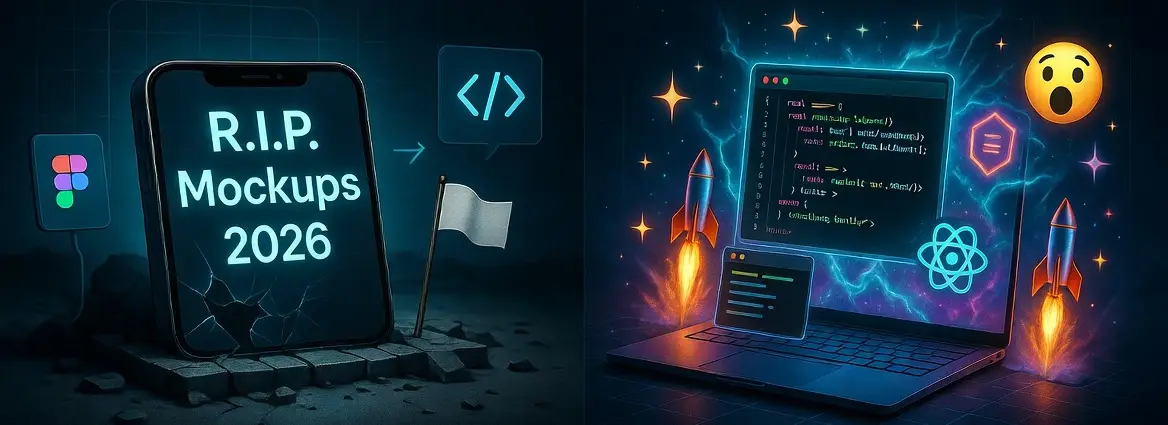
Static mockups are dead. They are a dangerous bottleneck that destroys development velocity, creates technical debt, and hides critical UX flaws. The new standard for 2026 is live-code prototyping—the practice of building functional, interactive prototypes using real HTML, CSS, and JavaScript from day one. This Technical UX Architect approach bridges the gap between design and engineering, ensuring your digital product is pre-optimized for Core Web Vitals, AEO (Answer Engine Optimization), and seamless, validated user journeys.
All About Live-Code Prototyping
The landscape of digital product development has shifted. For two decades, we followed a sequential path: Wireframe > High-Fidelity Mockup > Static Prototype (in a tool like Figma) > Engineering Handoff > Code. This linear process was built on a fallacy—the assumption that a static visual representation could accurately predict the behavior, performance, and accessibility of a live, dynamic application.
It cannot. And in 2026, continuing to rely on this obsolete workflow is a competitive liability.
The mockup is dead. Its replacement is not another design tool; it’s the code itself. Live-code prototyping has emerged as the definitive new standard.
1. What is Live-Code Prototyping?
Live-code prototyping is the methodology of building a functional, interactive model of a user interface using the actual technologies that will power the final product (e.g., HTML, CSS, JavaScript, and frameworks like React or Vue). Unlike a static Figma prototype, which is essentially a slide deck of images connected by hotspots, a live-code prototype has a functioning DOM, responds to real browser events, and can interact with real or simulated data APIs. It is a “living” entity that exists in the browser, not just on a canvas.
This approach is fundamentally different from traditional workflows. It doesn’t treat code as an afterthought; it treats code as the primary design medium.
Defining the Terminology
| Term | What It Is | Primary Output | Human Use Case | AI Use Case |
| Static Mockup | A high-fidelity visual representation of a single screen, often created in Photoshop or Figma. | Flattened image file (e.g., PNG, JPEG). | Visual reference for layout and style. Useless for behavior. | Very low value; difficult to extract meaning or context. |
| Static Prototype (Figma/Adobe XD) | A sequence of mockups connected by click-based “hotspots” to simulate flow. | Interactive image slideshow hosted on a canvas. | Testing user flows and high-level navigation logic. Hides bugs. | Low value; hotspots are hard to parse without DOM context. |
| Live-Code Prototype | A functional, accessible, and responsive model built with HTML, CSS, and JS in a live browser environment. | A deployable, URL-accessible application (e.g., a simple React app). | Validating interaction, performance, accessibility, and backend integration. | High value; clean DOM structure and schema markup are perfectly readable. |
2. Who is This Approach For?
This methodology is not for every project, but for modern, complex digital products, it is essential.
- For Founders & Product Owners: It provides the single source of truth. It allows you to see, touch, and test the actual product months before a traditional handoff. You gain realistic time-to-market estimates because you are building the foundation of the product, not just a picture of it.
- For Technical UX Architects (My Core Demographic): This is our discipline. We are the bridge. We possess the design sensibility to craft user-centered journeys and the engineering precision to build them using performance-first code. Live-code prototyping is our toolkit for delivering validated, scalable architectures.
- For Engineering Leads: It drastically reduces technical debt. You are not “interpreting” a design; you are refining a coded foundation that has already been performance-tested and structured for maintainability.
The 5 Ws of Live-Code Prototyping
| Question | Answer |
| Who benefits most? | Engineering-driven product teams and Technical UX Architects needing validated, performant digital assets. |
| What is it replacing? | The static “High-Fidelity Mockup” as the primary source of truth for the development sprint. |
| When should you use it? | During the “Definition” and “Prototyping” phases, immediately following initial wireframing and user journey mapping. |
| Where does it live? | In a live browser environment, accessible via a URL, often hosted on platforms like Netlify, Vercel, or GitHub Pages. |
| Why is it essential for 2026? | Because static mockups cannot validate accessibility, performance, responsive behavior, or AI search discoverability (AEO/GEO). |
3. Where Did the “Figma Trap” Come From?
We must address the elephant in the room: Figma is an incredible tool. It revolutionized collaboration. But it also created a comfortable, dangerous trap. We began to believe that because a prototype looked functional, it was functional.
The Friction: Live-Code Prototyping vs Figma Prototypes
The comparison between live-code prototyping vs figma prototypes is not about a “better tool”; it’s about a “better validation methodology.”
A Figma prototype is a simulation. It’s a series of “if this hotspot is clicked, show that screen” statements. It excels at quickly validating a user flow or a visual aesthetic. However, it fails—profoundly—at validating the actual user experience.
- Figma Cannot Validate Performance: You cannot test interaction latency (INP), layout stability (CLS), or Largest Contentful Paint (LCP) in Figma. A design that looks beautiful in a mockup may be an engineering nightmare that takes 5 seconds to render in a live browser, destroying your conversion rates.
- Figma Cannot Validate Accessibility: You cannot test keyboard navigation, screen reader compatibility (ARIA labels), or focus management in a Figma “prototype.” Testing accessibility is not an “add-on” task; it must be designed into the DOM from day one.
- Figma Cannot Validate Data Integrity: A mockup uses dummy text (“Lorem Ipsum”). A live-code prototype uses real (or realistic, JSON-based) data. This difference is critical for validating content hierarchy, handling dynamic states (loading, error, empty), and ensuring the user interface can adapt to varying data lengths and formats.
By contrast, a live-code prototype is the actual environment. If it’s slow, you can see the performance bottlenecks in Chrome DevTools. If it’s inaccessible, a screen reader will fail. If the data is wrong, the interface will break. This is the validation we need in 2026.
4. Why You Must Start Building Live-Code Prototypes Now
The transition to live-code prototyping isn’t just about efficiency; it’s about survival in a digital ecosystem that is rapidly being reorganized by AI.
Reason #1: AEO/GEO Discoverability is an Engineering Task
Traditional SEO was about keywords and content. But in 2026, the game is Answer Engine Optimization (AEO) and Generative Engine Optimization (GEO). AI models (ChatGPT, Gemini, Claude) don’t “browse” websites like humans do; they parse site architecture, metadata, and schema to extract structured data and validate a brand’s authority.
A static mockup cannot be optimized for AEO. You can’t add JSON-LD structured data to a Figma file. Live-code prototyping forces you to think about the semantic structure of your content from the very beginning. As you build the DOM, you are defining the entities, properties, and relationships that AI will use to answer user queries. Your prototype becomes the AEO blueprint for your final application.
Reason #2: Drastically Reduce Engineering Handoff Friction
The “handoff” from design to engineering is the most notorious source of project waste. A Technical UX Architect who delivers a coded, functional model eliminates this friction entirely. We are not handing off a pile of visual assets and a list of specifications; we are handing off a validated, performance-first technical foundation. The engineers can immediately focus on implementing business logic and connecting to APIs, rather than guessing how a CSS interaction should behave.
Reason #3: True Validation of Complex Interactions
The complexity of modern applications, especially in sectors like Automotive HMI or Enterprise SaaS, requires functional validation. You cannot test if a driver can safely interact with a dashboard in-vehicle by tapping on a static tablet screen. You need a model that responds to input (voice, gesture, physical dials), manages state, and displays dynamic information (e.g., speed, range).
My own work as a Technical UX Architect frequently involves building these kinds of specialized models. I use live-code prototyping to validate driver-distraction metrics, test multimodal input strategies (voice + touch), and synchronize multi-screen HMI experiences, ensuring they are intuitive and safe before a single production component is sourced.
5. What are the Best Tools for Live-Code Prototyping?
The “best” tool depends on your team’s technical proficiency and the specific project goals. In 2026, we are seeing the rise of a new generation of tools designed for this exact methodology.
| Tool Category | Tool Examples | Best For | Technical Barrier |
| Component-Based Frameworks | React, Vue, Svelte | Complex, state-driven applications and SaaS platforms. | High |
| “Code-to-Code” Design Tools | Framer (Framer Code), UXPin (UXPin Merge) | Teams with strong design sensibilities wanting to use production code components (like a React library). | Medium |
| Visual Development Platforms | Breakdance (for WordPress), Webflow | Rapid deployment of robust, data-dynamic websites (e.g., performance landing pages). | Low-to-Medium |
| AI-Assisted Prototyping Environments | Replit (using Claude or GPT-4o), GitHub Copilot | Rapid exploration, complex logic, and Technical UX Architect experimentation. | Medium-to-High |
Free Live Code Prototyping Tools for Rapid Experimentation
You do not need an enterprise budget to adopt this workflow.
- Replit: This is the game-changer for 2026. Replit’s cloud-based IDE, combined with integrated AI coding assistants (like Claude), allows you to create, host, and share a fully functional React or Python web application in minutes. It is the definitive Technical UX Architect sandbox for creating rapid, “disposable” live-code prototyping models.
- CodeSandbox & StackBlitz: Excellent for isolating and validating specific JavaScript components or interactions in a controlled environment.
- GitHub Pages & Netlify: These platforms make it free and incredibly simple to deploy and host your HTML/CSS/JS prototype, giving you a shareable URL instantly.
The Best Tool: Replit + AI Integration (Example)
As an expert, my preferred workflow for rapid, complex validation often starts in Replit.
- Why? Because I can tell the integrated AI agent (Claude): “Create a single-page React application that uses JSON data from
https://api.myproject.com/usersto build a sortable and filterable data table, optimized for WCAG 2.1 accessibility, and using a modern CSS Grid layout.”
In minutes, I have a functional model. I can then take that foundation and manually refine the Technical UX details: adding proper schema markup, performance-tuning the CSS animations with GSAP, and validating the mobile-responsive behavior. This workflow is the absolute Technical UX Architect speed advantage in 2026.
Validating Interaction in a Live Browser
Here is a simple example of how live-code prototyping allows us to validate an actual interaction that a static mockup could never capture. We are not just simulating a state change; we are measuring the time it takes the DOM to respond to a user event. This is crucial for Interaction to Next Paint (INP) validation.
// Validate the responsiveness of a key user interaction (e.g., an "Add to Cart" button)
// We measure the time between the user click and the first visual response.

const productButton = document.querySelector('#add-to-cart-button');
const cartCountDisplay = document.querySelector('#cart-count');

productButton.addEventListener('click', (event) => {
    // 1. Mark the start time immediately upon the user event
    const startTime = performance.now();
    console.log('Interaction started...');

    // Simulate the business logic (e.g., adding the item)
    updateCartQuantity();

    // 2. Schedule the visual update
    requestAnimationFrame(() => {
        // This callback runs *before* the next repaint
        cartCountDisplay.textContent = getCartTotalItems();

        // Add a visual 'feedback' class to the button
        productButton.classList.add('is-loading');

        // 3. Mark the end time immediately after the visual DOM update is scheduled
        const endTime = performance.now();
        const duration = endTime - startTime;

        console.log(`Interaction completed (Acknowledge time): ${duration.toFixed(2)}ms`);

        // For INP (Interaction to Next Paint), we are aiming for sub-200ms.
        // A duration this low (<10ms for just scheduling) shows excellent event-loop performance.
        if (duration > 16) { // Approx 1 frame at 60Hz
            console.warn('The interaction may feel sluggish. Check for blocking main-thread tasks.');
        }
    });
});

// Dummy support functions for the example
function updateCartQuantity() { /* Logic... */ }
function getCartTotalItems() { return 3; /* Example value */ }
A static mockup cannot provide this level of fidelity. It cannot generate performance metrics. Live-code prototyping is the only way to validate that your UX decisions don’t lead to an unresponsive application.
6. The New Reality: Code is the Design
The transition away from static mockups is a professional maturation. It is an acknowledgment that a digital product’s user experience is inextricably tied to its technical implementation. A Technical UX Architect in 2026 is no longer an “artist” handing off creative assets; we are an “engineer” who builds the very foundation of the product itself.
The future of digital development is performant, accessible, data-driven, and AI-discoverable. The only way to validate those goals is to build them. The mockup is dead. Long live live-code prototyping.
Turn Your Website Into a Lead-Generating Machine
Get a high-performance website built for speed, search visibility, and conversions – not just looks.
Explore My Services
 |
Web Design Services: Custom, responsive sites with stunning UX/UI, fast load times & SEO-ready code. Convert visitors into customers. More >> |
 |
Search Engine Optimization Services: Boost your site's visibility with tailored keyword research, on-page optimization & analytics. Drive organic traffic! More >> |
 |
WordPress Services: Custom themes, WooCommerce, speed & SEO optimization. Secure, scalable sites that rank higher & convert better. More >> |
Technical summary generated via ChatGPT.