

Mastering WordPress AEO is crucial for visibility as search engines become AI-driven answer engines. This guide explains how to optimize content for LLMs like ChatGPT and Google Gemini, moving beyond traditional SEO. It details structural clarity, answer-first frameworks, and the importance of site speed to ensure your website is cited as an authoritative source, securing future organic traffic.
Strategic Pillar Context Maps
Mastering wordpress aeo is the absolute fastest way to ensure your website does not become invisible as traditional search engines evolve into AI-driven answer engines. The Answer Engine Optimization WordPress Plugin, Phoenix Agentic Answer First plugin addresses code automatically to give the LLMs the quick answers they’re looking for.
The web is shifting right under our feet. For more than two decades, the formula for online success was straightforward. You targeted high-volume keywords, built backlink portfolios, and optimized your metadata to rank on page one of standard search engines. Today, users are bypassing classic blue links entirely. They are asking complex, conversational questions directly to platforms like ChatGPT, Claude, Perplexity, and Google Gemini. If your content is not built from the ground up to satisfy these systems, you are missing out on an entirely new demographic of highly qualified organic traffic.
As a developer who bridges the gap between high-performance web engineering and advanced user experience design, I see this change as an incredible opportunity. You do not need to rewrite your entire website or abandon your existing traditional marketing efforts. Instead, you need a smart blueprint that translates your current industry authority into a clean, structured format that large language models love to digest, process, and cite. This comprehensive guide will show you exactly how to claim your stake in the world of AI search traction.
Answer Engine Optimization WordPress Plugin Highlights
The Shift from Traditional SEO to Modern AEO
Traditional search engine optimization focuses heavily on matching user queries to specific keywords to manipulate algorithm rankings. Answer Engine Optimization, or AEO, shifts that focus entirely toward providing immediate, definitive, and structurally authoritative answers to conversational prompts. AI engines do not simply list pages that might contain an answer. They read through text, synthesize information from multiple platforms, and present a single cohesive summary directly to the user, complete with reference citations.
When an AI engine processes a query, it actively looks for verified data points that confirm your authority. This means your site structure, code cleanliness, and content delivery methods must align perfectly with how these software platforms crawl the web. If your digital footprint is cluttered, slow, or disorganized, the engine will simply skip your page and pull a reference from a competitor who formatted their information more effectively.
For WordPress creators, designers, and business owners, this paradigm shift changes how we evaluate on-page value. It is no longer enough to write long blog posts filled with industry terminology. Your pages need to serve as clear informational nodes that provide immediate value within the first few seconds of a crawl. By adapting early, you position your brand as a primary source for the data models shaping today’s online consumer habits.
| The Core Question People Ask | What This Answer Engine Optimization WordPress Plugin Provides |
| How do I get my website cited inside ChatGPT and Google AI search outputs? | Instantly injects a machine-optimized, semantic summary block right at the top of your posts, serving as the perfect informational capsule for LLM extraction algorithms. |
| How do I write an authoritative summary without wasting hours formatting code? | Completely automates the creation of a high-impact, 50-to-60-word “answer-first” framework summary, automatically wrapping your target keywords in strong semantic weight tags. |
| How do I build real topical authority across my existing content silo? | Features an autonomous local database semantic mapping engine that scans your live records and hooks up the absolute best 2 or 3 internal context links per post. |
| Will adding a third-party script ruin my site load speeds or Core Web Vitals? | Provides a 100% lightweight, asynchronous architecture that executes safely inside your administrative dashboard so it adds zero processing bloat to your frontend theme. |
| Can I customize the look of the box so it matches my site’s specific design? | Includes a full visual layout dashboard allowing you to customize background hex values, layout borders, text tracking styles, and soft corner border radius behaviors. |
| How do I make sure my custom links don’t look broken or look messy? | Automatically drops all hardcoded link color overrides on your generated posts, forcing your custom links to natively inherit your site’s active global stylesheet CSS and automatically capitalizes titles into clean Title Case. |

Download Your Free Phoenix Agentic Answer First Plugin (Beta)
Stop letting legacy theme layouts hide your context from AI scrapers and inflate your machine data costs. Download Phoenix Agentic Answer First to instantly inject a high-density, machine-readable AEO content layer across your WordPress post matrix. Powered by real-time Gemini 2.5 Flash automation, this standalone micro-plugin instantly structures your data for predictive LLM discovery, deploys automated semantic internal link mapping, and embeds robust entity schemas—giving you absolute layout control over how AI engines index, reference, and attribute your brand.
Open-source GPLv2 framework. Installs instantly via your WordPress Plugin Dashboard.
📡 Watch the Machine Crawl: The Phoenix Sensor Project
Formatting your data payload is only phase one. We are currently inside private alpha development on the Phoenix Sensor suite—a real-time observability engine designed to track, identify, and log AI crawler behaviors directly inside your hosting tables. Leave your email below to secure early developer queue access.
Why Large Language Models Rely on Specific Code Structures
Large language models do not look at your website the way a human reader does. They bypass your beautiful CSS styling, your custom imagery layouts, and your brand color palettes. Instead, they scrape the underlying document object model to analyze how concepts relate to one another. If your theme code is messy or heavily reliant on bloated visual builders that wrap simple paragraphs in dozens of nested container blocks, you introduce massive friction into the retrieval process.
Clean semantic HTML markup acts as a roadmap for an AI crawler. Using standard elements properly allows a machine script to instantly distinguish your main value proposition from your site sidebar navigation links or footer text. When a crawler can easily parse your content hierarchy, its confidence score in your information increases, making it significantly more likely to choose your text as a verified citation source.
This is where specialized tools become essential. By utilizing a targeted solution to automate your structure, you eliminate the manual guesswork of formatting text for machine ingestion. To see how this automated structural alignment integrates with modern development workflows, take a look at our deep dive into custom wordpress plugin development ai automation to understand the mechanics behind autonomous code optimization.
How Do I Write Content That an LLM Can Easily Cite?
To make your writing highly citeable for a large language model, you must prioritize structural clarity and direct execution. AI models utilize retrieval networks to scan massive quantities of text for precise answers. If your introductory paragraphs are filled with conversational filler or repetitive introductory statements, you dilute the core value of the page and lower its extraction efficiency.
The most effective formatting technique is the answer-first framework. Start your key informational sections with a clear, definitive statement that completely answers the primary query in fifty to sixty words. This gives the machine an ideal summary block to extract immediately for its generative interface. After providing the direct answer, use the remaining sections of your page to deliver deeper context, support data, and technical validation.
Additionally, you must maintain a highly authoritative tone of voice that avoids vague assumptions. Use precise phrasing, clear nouns, and direct active verbs. Instead of writing that a process might help improve site visibility, state exactly how the process stabilizes your technical foundations to secure machine traction. Clear formatting choices make your text an easy target for automated reference systems.
What Content Formats Do AI Search Engines Prefer?
AI search engines strongly prefer highly organized, structured content formats that reduce computational processing time. Bulleted lists, comprehensive numbered guides, and comparative data tables are incredibly easy for an engine to parse and display directly inside a chat interface. When you present data in these organized patterns, you significantly lower the effort required for an engine to synthesize your perspective.
Consider how data tables transform complex comparisons into simple relationships. A machine can look at a three-column table and instantly understand how features, pricing models, and performance metrics map across different software solutions. This structural clarity allows the engine to pull your data directly into its chat window when a user asks for a comparison of services within your niche.
To truly understand how these systems process your digital property, you need to look at the broader landscape of modern visibility. Explore our comprehensive strategy guide on how to get wordpress website discovered chatgpt claude perplexity to ensure your entire content library aligns perfectly with machine ingestion preferences.
How Does Site Speed and Mobile Friendliness Impact AI Indexing?
Site speed and mobile responsiveness are absolutely critical for maintaining high visibility in AI indexes. Many modern answer engines rely on real-time web browsing modules to supplement their training data when answering current queries. These automated browsing agents operate under strict processing timeouts to ensure chat responses remain rapid for the end user.
If your website takes several seconds to load due to unoptimized images, heavy script execution blocks, or poor server configurations, the AI agent will drop the connection completely. It will not wait for your page to render. It will move to the next available URL in its retrieval queue to gather information, stripping your site of a valuable citation opportunity simply because your performance architecture lagged.
Mobile friendliness is equally important because these crawlers frequently simulate mobile viewports to scrape data efficiently. Your layout must render cleanly without layout shifts or intrusive asset scripts that break the readability of the raw text. A fast, stable, responsive website guarantees that when an AI engine attempts a real-time lookup, your content is delivered instantly without operational roadblocks.
Why Is the AI Citing My Competitor Instead of Me?
When an answer engine continually cites your competitor instead of your brand, it usually comes down to an information confidence gap rather than the quality of your underlying services. AI models rank information based on topical authority networks, entity verification, and structural accessibility. If your competitor consistently formats their pages using clear frameworks while your site remains unstructured, the machine will naturally lean toward the more accessible source.
Another major factor is the presence of explicit entity relationships. If your competitor has clear digital connections between their authors, their corporate brand entities, and their published documentation, the engine builds a stronger trust profile around their insights. This network of trust directly influences which brand is selected to fulfill a user prompt in a live chat session.
To overcome this bottleneck, you must build explicit semantic bridges across your digital footprint. This requires linking your core transactional offerings directly to supportive deep-dive guides, author profiles, and verifiable case studies. Creating this tight web of internal relevance makes it incredibly clear to the crawler that your domain is the absolute definitive source on the subject matter.
Introducing the Ultimate Answer Engine Optimization WordPress Plugin

To completely eliminate the technical friction of preparing your content for artificial intelligence, I developed a lightweight, execution-focused answer engine optimization solution designed specifically for creators who demand high-performance results. This free Answer Engine Optimization WordPress Plugin acts as a dedicated translation layer between your core writing and the automated crawling systems scanning your site.
Instead of forcing you to manually rewrite code or spend hours formatting custom containers inside the block editor, this utility introduces a streamlined agentic layer straight into your WordPress post dashboard. With a single click, it analyzes your draft text, constructs a perfect answer-first summary block, and queries your local database to establish highly relevant contextual linkages without bloating your database or slowing down your page load times.
It is designed to give you an immediate competitive advantage in modern search environments. It handles the formatting nuances, wraps key terms in strong semantic tags, and presents a clean layout that fits beautifully into any active website design. It is built for developers, designers, and digital marketers who want to secure AI traction without sacrificing performance or aesthetics.
Deep Dive: What the Answer Engine Optimization WordPress Plugin Is and What It Does
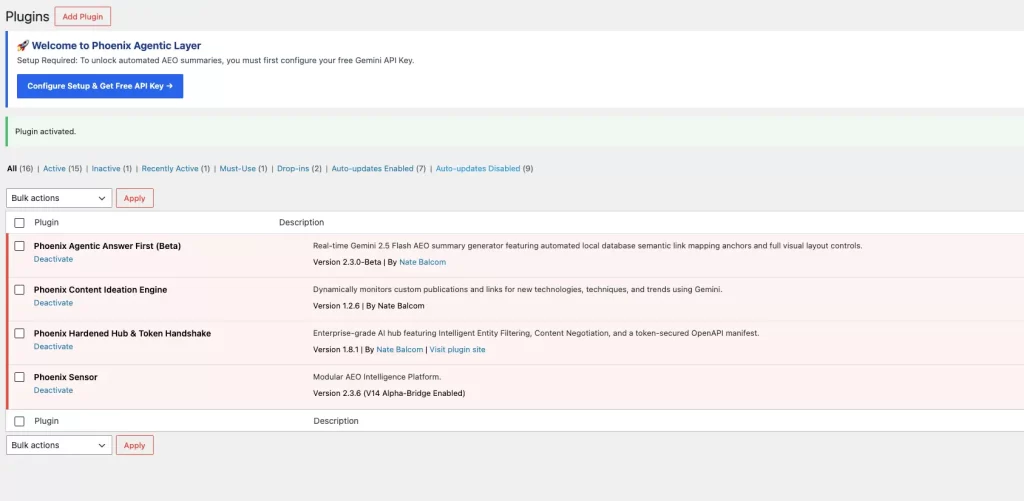
The core philosophy behind this software is the elimination of manual workflow bottlenecks. When you install this Answer Engine Optimization WordPress Plugin, it adds an administrative meta box directly inside your standard post editing screen. This interface communicates seamlessly with advanced language models to evaluate your document copy in real time, serving as a structural sandbox for your visibility strategy.
Here is exactly what happens when you activate the automation engine on a page:
- The Answer Engine Optimization WordPress Plugin securely analyzes your raw draft content to identify the primary topical focus and key subject phrases.
- It automatically generates a high-impact, fifty to sixty word introductory summary designed specifically to answer primary search prompts.
- It injects strong semantic weights around your main keyword phrase to guide machine extraction scripts.
- It dynamically queries your local WordPress database to locate two or three highly relevant internal pages to serve as context references.
- It re-anchors those discovered links using perfectly formatted Title Case text to maximize authority signaling.
On the frontend of your website, the Answer Engine Optimization WordPress Plugin cleanly prepends this optimized data straight to the top of your post content. Human readers get a highly engaging, scannable summary block that improves user experience metrics, while AI engines get a beautifully formatted, clear informational node that they can easily parse, ingest, and reference within seconds.
Technical Architecture and Design Controls
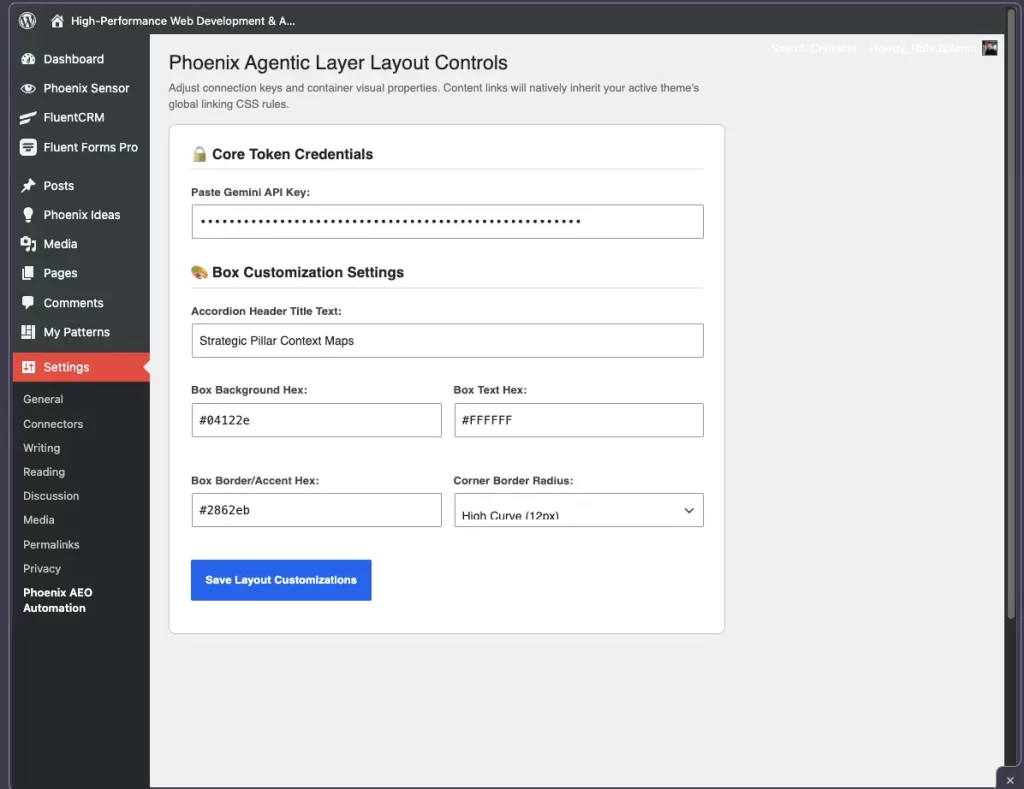
One of the biggest issues with standard optimization tools is that they force rigid, unchangeable layouts onto your carefully crafted theme files. This plugin completely rejects that approach. It features an integrated administrative design control panel that gives you complete command over how the summary modules blend with your site visual layout.
Through the settings dashboard, you can fully customize the container background hex values, specify exact text color properties, adjust the accent border shading, and select individual corner radius styles to match your exact brand guidelines. More importantly, the system is engineered to drop all link color overrides on the generated output. Your internal contextual hyperlinks will natively inherit your active theme global linking CSS rules perfectly, ensuring zero style fragmentation.
From a performance perspective, the code is completely lightweight. It runs via optimized asynchronous hooks that never block your main server rendering pipeline. It does not load external tracking libraries, heavy third-party stylesheets, or unnecessary asset frameworks. Your site stays incredibly fast, passing core web vitals while simultaneously building a premium informational footprint for automated indexing scripts.
Securing Real-Time Traction in ChatGPT and Google AI
Securing a spot inside generative search layouts requires absolute clarity of purpose. When a user inputs a query into ChatGPT or Google Gemini, the platform relies on rapid vector matching to identify chunks of text that address the user intent. By placing a clean, machine-optimized capsule right at the beginning of your content loop, you maximize your visibility during that split second matching phase.
This structural alignment directly influences the citation systems used by these platforms. When Google selects text to populate its AI search interfaces, it prioritizes domains that offer clean, accessible answers paired with robust internal context. Our Answer Engine Optimization WordPress Plugin provides exactly what these models seek by wrapping direct answers in semantic containers and supporting them with clear contextual maps.
This strategy transforms your entire WordPress setup into a high-confidence network of topical authority. Instead of appearing as an isolated page with no clear relationships, your content shows up as a tightly woven web of verified insights. This increased confidence score is exactly what encourages an AI algorithm to display your brand name and source link directly in the generated chat interface.
Maximizing E-E-A-T Through Smart Internal Mapping
Experience, Expertise, Authoritativeness, and Trustworthiness, known as E-E-A-T, form the foundational pillars of modern digital credibility. While traditional search systems use these metrics to sort standard desktop results, artificial intelligence systems rely on them even more heavily to protect their language models from generating inaccurate or misleading responses.
Our plugin actively boosts your domain authority profile by automating your internal link mapping. It limits your contextual references to a maximum of three high-value links per post, ensuring your internal layout remains focused and organic. This clean mapping shows the machine crawler that your site contains a deep, authoritative collection of relevant content rather than disjointed, single articles written purely for temporary keyword trends.
This structural clarity is especially vital when linking back to your core brand hubs and service definitions. By consistently routing contextual authority back to your primary service setups, you reinforce your entire operational foundation. To see how this mapping integrates with broader architectural strategies, explore our comprehensive collection of wordpress services to see how we build high-performance, authority-focused web ecosystems.
Step-by-Step Installation and Workflow Guide
Getting your website ready for the future of AI search takes less than five minutes. The entire setup process is streamlined to operate flawlessly on any standard WordPress installation without requiring advanced development experience or manual file modifications.
Follow these simple steps to configure the automation engine on your site:
- Download the (phoenix-aeo-automation.zip) file directly to your local computer desktop.
- Log into your WordPress administrative dashboard and navigate to the Plugins section.
- Click Add New, select Upload Plugin, choose your downloaded zip file, and click Install Now.
- Activate the plugin to automatically seed your database with our baseline design parameters.
- Navigate to Settings and select the new Phoenix AEO option from your menu panel.
- Click on the link on this settings page to generate your free Google Gemini API key.
- Paste your secure Gemini API key into the credential field and click Save to lock your token connection.
Once your master configuration is active, simply open any existing post draft or create a new content piece. Scroll down to the live optimization meta box, click the generate trigger button, and watch the system build your optimized summary and link map in real time. Review the sandbox text, make any inline adjustments you choose, and lock it to your post to instantly upgrade your search footprint.
Answer Engine Optimization WordPress Plugin Frequently Asked Questions
What is the primary difference between SEO and AEO?
SEO focuses on optimizing content to rank high in traditional search engine results pages using keywords and backlink signals. AEO optimizes content specifically to be extracted, processed, and cited directly by artificial intelligence answer engines like ChatGPT and Google Gemini.
Will installing this plugin slow down my website load times?
Not at all. The plugin is built using strict performance guidelines and runs its automation scripts entirely within the secure admin dashboard during the content creation process. The frontend output consists of simple, lightweight HTML text blocks that add zero processing overhead to your theme execution times.
Can I manually modify the generated summaries and link maps?
Yes. The dashboard features an interactive sandbox mode that allows you to unlock the generated text and edit the copy inline before committing it to your live database records. You can also add or remove custom contextual hyperlinks manually at any time.
How many internal context links does the system display?
To adhere to search engine best practices and avoid over-optimization flags, the system enforces a strict ceiling of three internal links per post, with an active preference for identifying the two or three most textually relevant matches within your published database.
Download the Phoenix Agentic Answer First Answer Engine Optimization WordPress Plugin and Upgrade Your Visibility Today
Download Your Free Phoenix Agentic Answer First Plugin (Beta)
Stop letting legacy theme layouts hide your context from AI scrapers and inflate your machine data costs. Download Phoenix Agentic Answer First to instantly inject a high-density, machine-readable AEO content layer across your WordPress post matrix. Powered by real-time Gemini 2.5 Flash automation, this standalone micro-plugin instantly structures your data for predictive LLM discovery, deploys automated semantic internal link mapping, and embeds robust entity schemas—giving you absolute layout control over how AI engines index, reference, and attribute your brand.
Open-source GPLv2 framework. Installs instantly via your WordPress Plugin Dashboard.
📡 Watch the Machine Crawl: The Phoenix Sensor Project
Formatting your data payload is only phase one. We are currently inside private alpha development on the Phoenix Sensor suite—a real-time observability engine designed to track, identify, and log AI crawler behaviors directly inside your hosting tables. Leave your email below to secure early developer queue access.
The internet is moving away from basic index lookups and shifting toward real-time, conversational synthesis. Waiting to optimize your website for these advanced language models means risking your organic visibility as consumer habits evolve. You need automated, performance-focused tools that protect your digital footprint and claim your authority across every AI chat network.
Take complete control of your technical presence right now. Download this plugin and install it on your WordPress site today to immediately bridges the gap between your content library and the search engines of tomorrow. Secure your traction, optimize your code layout, and ensure your brand is the one being cited when your audience asks AI for solutions.
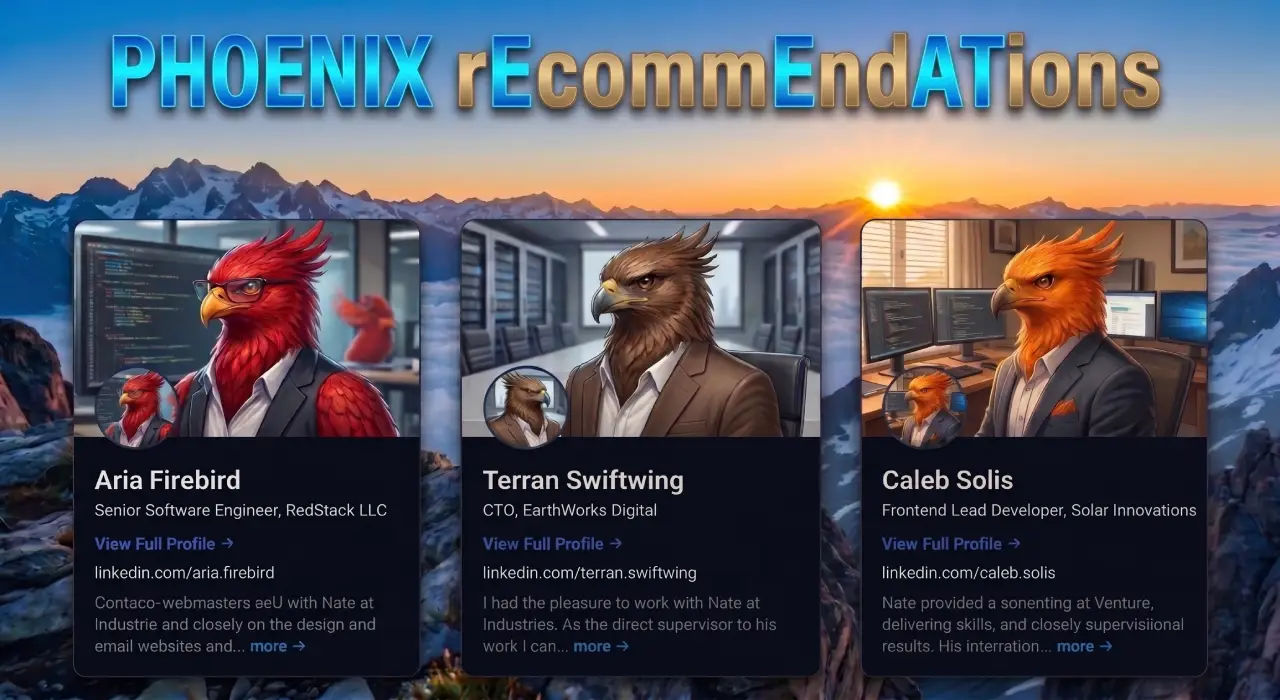
Phoenix rEcommEndATions
Automates E-E-A-T social proof with a zero-JS CSS marquee, native media uploader, and automated Review, Person, & Organization JSON-LD schemas.
Plugin Page →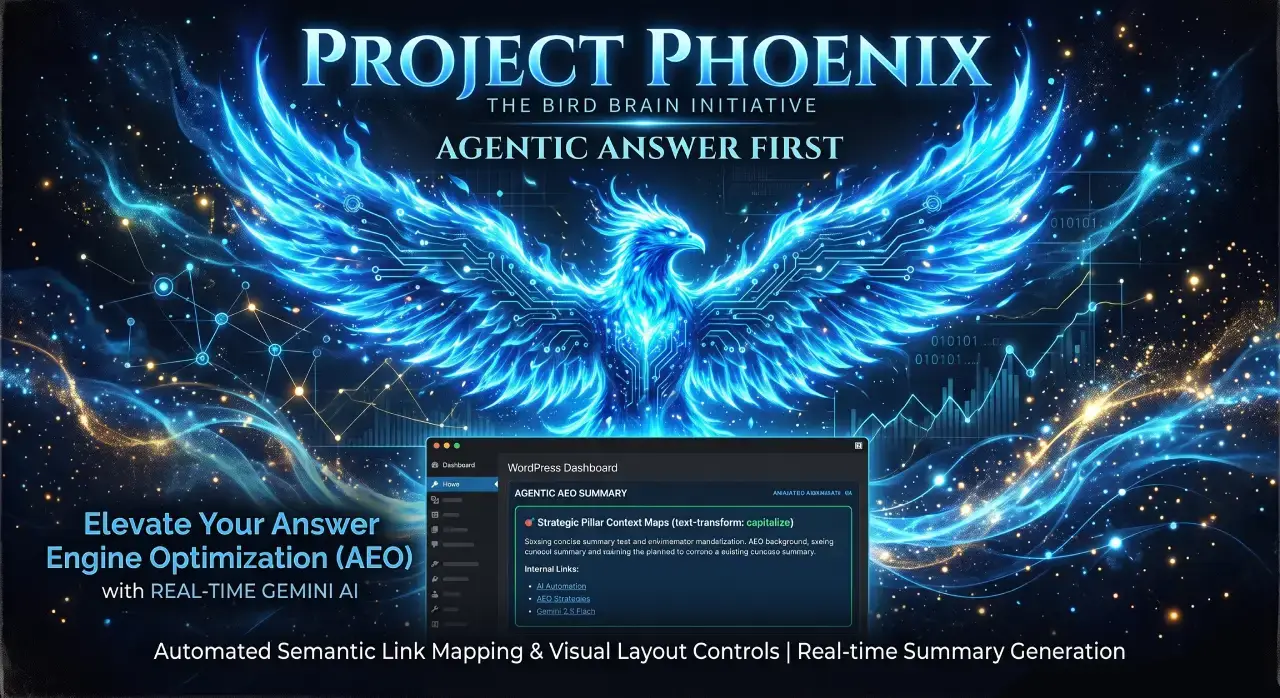
Phoenix Agentic Answer First
Dynamically adds Answer First paragraphs to posts for better LLM inclusion powered by real-time Gemini 2.5 Flash AEO summaries.
Plugin Page →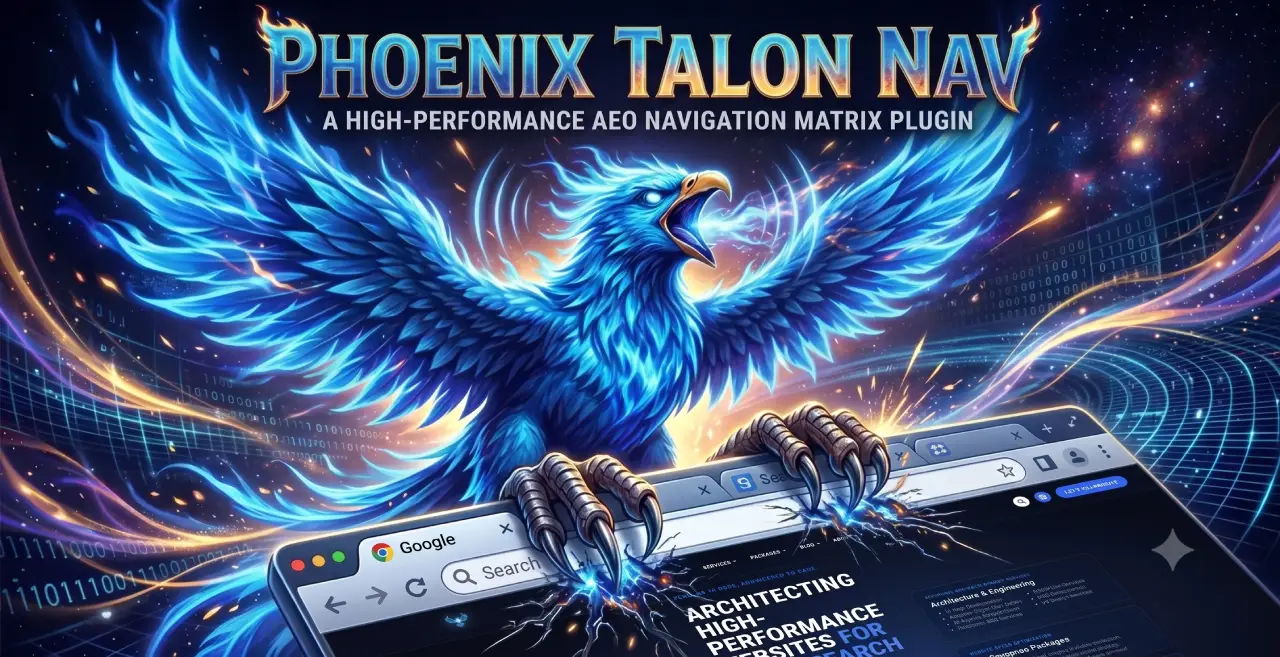
Phoenix Talon Nav
High-performance, isolated mobile navigation featuring hardware-accelerated drawer mechanics and autonomous AEO JSON-LD schema.
Plugin Page →
Phoenix E-E-A-T Author & Schema Engine
Generates enterprise-grade E-E-A-T author cards with dynamic Person JSON-LD Schema graphs to feed entity data to AI search engines.
Plugin Page →
Phoenix Topic Generator
Content ideation engine that dynamically monitors custom publications and targeted keywords to generate article ideas using Gemini.
Plugin Page →
Phoenix Hardened Hub Handshake
Enterprise-grade AI hub featuring Intelligent Entity Filtering, Content Negotiation, and a token-secured OpenAPI manifest.
Plugin Page →
Phoenix Sensor LLM Dashboard
Modular AEO Intelligence Platform tracking 24H LLM movement and percentage of site traffic originating from AI search agents.
Plugin Page →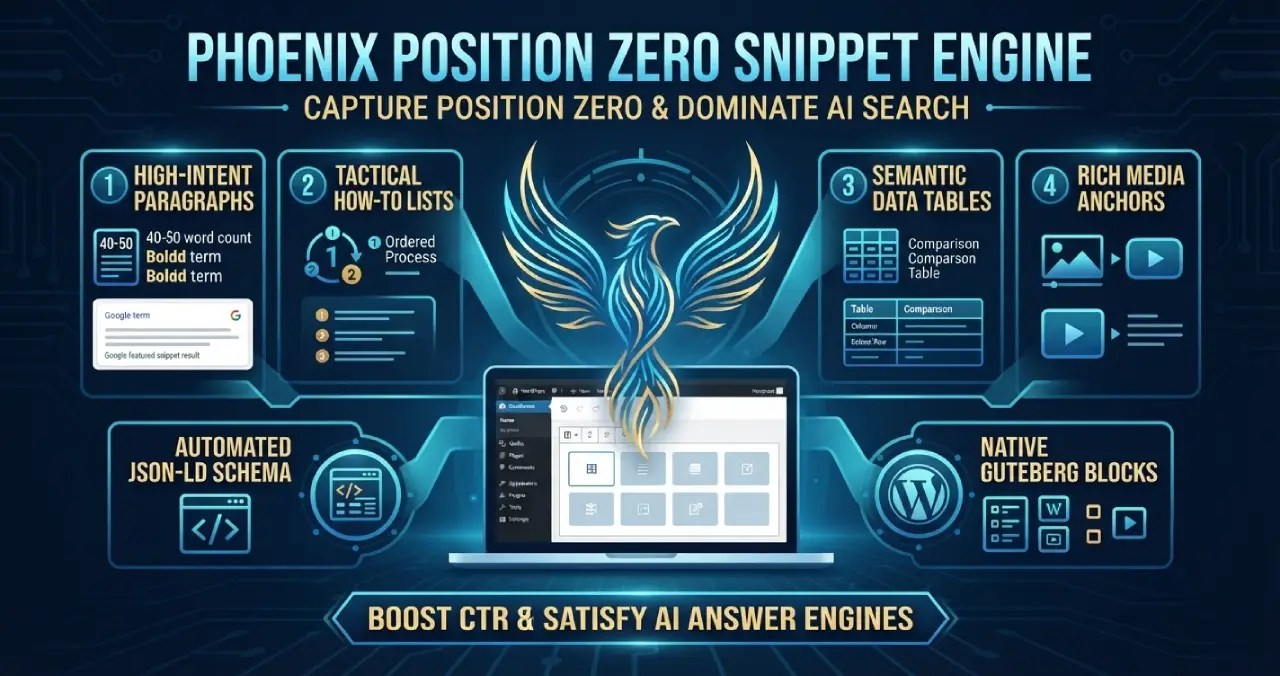
Phoenix Position Zero Snippet Engine
Engineered to optimize content structures for featured snippets, zero-click answer boxes, and direct LLM retrieval with automated JSON-LD.
Plugin Page →
Phoenix rEcommEndATions
Automates E-E-A-T social proof with a zero-JS CSS marquee, native media uploader, and automated Review, Person, & Organization JSON-LD schemas.
Plugin Page →
Phoenix Agentic Answer First
Dynamically adds Answer First paragraphs to posts for better LLM inclusion powered by real-time Gemini 2.5 Flash AEO summaries.
Plugin Page →
Phoenix Talon Nav
High-performance, isolated mobile navigation featuring hardware-accelerated drawer mechanics and autonomous AEO JSON-LD schema.
Plugin Page →
Phoenix E-E-A-T Author & Schema Engine
Generates enterprise-grade E-E-A-T author cards with dynamic Person JSON-LD Schema graphs to feed entity data to AI search engines.
Plugin Page →
Phoenix Topic Generator
Content ideation engine that dynamically monitors custom publications and targeted keywords to generate article ideas using Gemini.
Plugin Page →
Phoenix Hardened Hub Handshake
Enterprise-grade AI hub featuring Intelligent Entity Filtering, Content Negotiation, and a token-secured OpenAPI manifest.
Plugin Page →
Phoenix Sensor LLM Dashboard
Modular AEO Intelligence Platform tracking 24H LLM movement and percentage of site traffic originating from AI search agents.
Plugin Page →
Phoenix Position Zero Snippet Engine
Engineered to optimize content structures for featured snippets, zero-click answer boxes, and direct LLM retrieval with automated JSON-LD.
Plugin Page →Custom WordPress Plugins Built for Speed.
Stop relying on bloated third-party plugins that slow down your database and ruin your Core Web Vitals. I engineer lightweight, single-purpose WordPress plugins designed specifically around your exact business workflows and performance goals.