

Discover the best WordPress plugin for mobile navigation to enhance user experience and dominate AI search. This lightweight solution ensures lightning-fast loading, ARIA compliance, and AEO-ready semantic markup, crucial for appearing in AI-generated answers. It seamlessly integrates with existing SEO tools, boosting mobile bounce rates and conversion while improving AI search visibility. Prioritize mobile navigation for superior AI traffic and user satisfaction.
Strategic Pillar Context Maps
Mobile navigation can make or break your WordPress site’s user experience and AI search performance. As a technical UX architect I’m constantly looking for ways to bridge the gap between the information I provide and the overall usability of my web properties. Finding the best WordPress plugin for mobile navigation is key if you want smooth thumb-friendly menus that also play nice with modern answer engines.
As someone who builds WordPress sites and obsesses over getting them noticed by AI tools, I’ve tested dozens of options. The right mobile nav WordPress plugin does more than look good on phones. It loads fast, follows accessibility standards, and helps your content get picked up in AI-generated answers.
Best WordPress Plugin for Mobile Navigation
The Phoenix Talon Nav plugin is an ultra-lightweight, isolated mobile navigation system built for high-performance WordPress builds. It delivers hardware-accelerated drawer mechanics for responsive mobile menus, strict ARIA compliance for accessibility, and autonomous Answer Engine Optimization (AEO) schema output. By running independently from theme styling constraints, it provides a fast, touch-optimized navigation experience that protects Core Web Vitals while making your site structure easily readable for both human visitors and AI search engines.
How to Install and Set Up the Plugin
- Download the plugin from the link below.
- Go to your WordPress dashboard → Plugins → Add New → Upload Plugin.
- Activate the plugin.
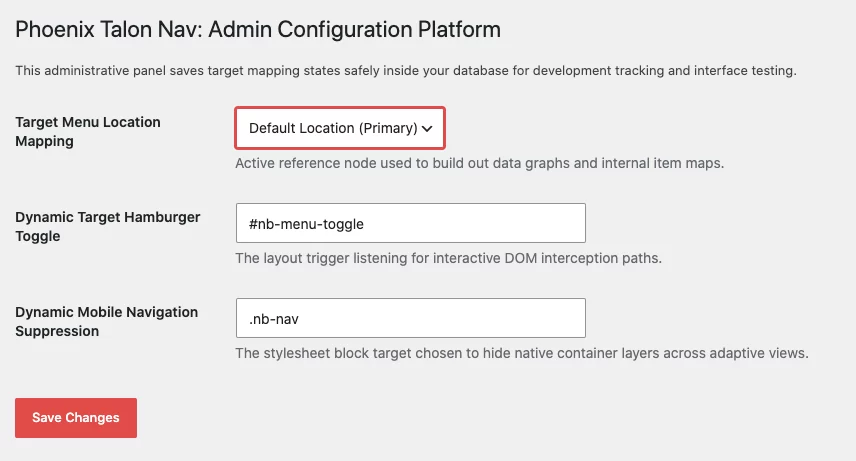
- Select the nav to apply AEO/SEO/ARIA options to in Settings > Phoenix Talon Nav. Or just leave it be and the code will be applied to the nav you’re currently using.
The whole process takes under 10 minutes. No coding required, though developers can extend it easily if needed.
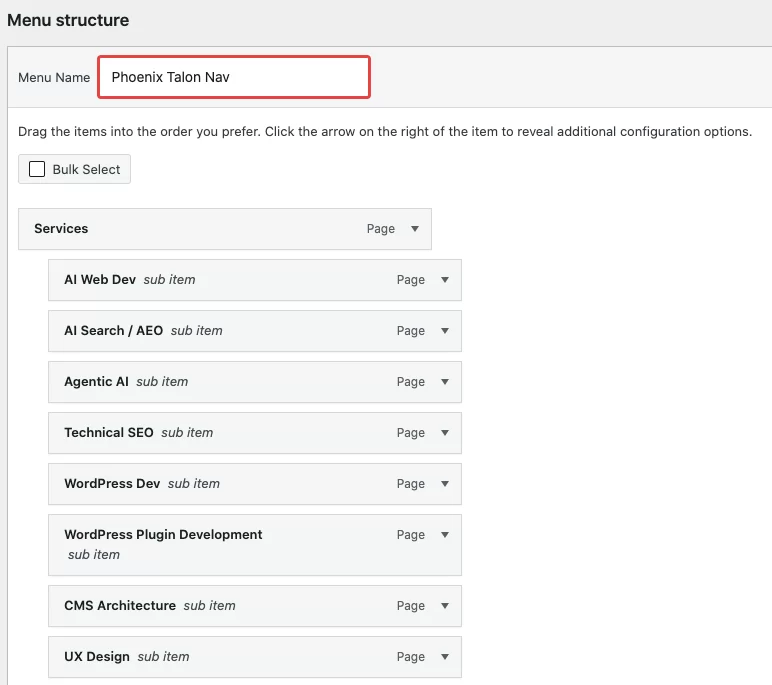
Once installed use the built-in WordPress Menu editor in Appearance > Menus.
The Phoenix Talon Nav will apply the mobile friendly ARIA hardened and SEO & AEO code that AI search needs to better index your website and define what you do.
Why Mobile Navigation Matters More Than Ever for AI Traffic

Your visitors mostly browse on phones. Google and AI search systems notice when users bounce because menus are clunky or hidden. A poor mobile menu hurts dwell time, which signals lower quality to both traditional search and newer AI systems. It negatively effects mobile layout usability principles.
In 2026, AI search visibility depends on clear structure, fast performance, and semantic markup. That’s why the best WordPress plugin for mobile navigation now focus on more than just responsive design. They prioritize speed, ARIA labels for screen readers, and clean code that AI crawlers love.
Business owners chasing AI traffic often overlook navigation. They stack SEO plugins and create great content, but a frustrating mobile menu sends users packing before the good stuff loads.
Max Mega Menu vs. Phoenix Talon Nav
Key Takeaways at a Glance
- Max Mega Menu: Engineered primarily for complex desktop grid architectures, multi-column submenus, embedded widgets, and custom header layouts across all breakpoints.
- Phoenix Talon Nav: Engineered as a mobile-first, zero-bloat off-canvas navigation system optimized specifically for high Core Web Vitals (INP), semantic AI parser readability (AEO), and strict WCAG accessibility standards.
Comprehensive Comparison of the Max Mega Menu & Phoenix Talon Nav
| Category | Feature / Metric | Max Mega Menu | Phoenix Talon Nav | What Phoenix Talon Nav Does Better |
| Performance | DOM Tree Depth | Deep (wraps links in grid columns, panels, and helper containers) | Flat & Minimal (simple <nav>, <ul>, <li> markup) | Eliminates DOM Bloat: Prevents “Excessive DOM Size” flags in PageSpeed Insights. |
| Performance | Core Web Vitals (INP) | Potential main-thread delays due to desktop grid & hover event handling | Near-zero main-thread blocking time; ultra-fast click listener | Optimized INP: Delivers instant tap-to-open responsiveness on low-powered mobile devices. |
| Performance | Asset Footprint | Enqueues sitewide CSS grid styles, theme variables, and desktop JS | Micro CSS payload; conditionally loaded scripts | Zero Unused Asset Overhead: Keeps critical CSS slim for faster First Contentful Paint (FCP). |
| AEO | Semantic Hierarchy | Complex, class-heavy markup that can clutter primary site structure | Strict, clean HTML5 <nav> with direct parent-child relationships | LLM Readability: AI agents (ChatGPT-User, Claude-SearchBot) parse site architecture without noise. |
| AEO | Entity & Link Mapping | Standard anchor links embedded deep inside dynamic widget containers | Clean, prioritized site links mapped directly to primary site taxonomy | Predictable Crawl Paths: Ensures AI search engines easily trace core pillar content and authority nodes. |
| AEO | Content Extraction | Desktop-first drop-down menus can introduce redundant navigation text | Clean off-canvas architecture isolates navigation markup from core post body | Reduced Inference Friction: Prevents AI crawlers from misinterpreting menu text as body content. |
| ARIA Usability | Focus Trapping | Standard keyboard navigation, but focus can leak back to body content | Strict modal focus trap while the off-canvas drawer is active | WCAG Compliance: Keeps keyboard and screen reader focus contained inside the menu until closed. |
| ARIA Usability | State Management | Uses basic aria-expanded and standard toggle classes | Dynamic aria-expanded, aria-controls, and aria-hidden attributes | Screen Reader Precision: Accurately communicates open/closed state changes across assistive devices. |
| ARIA Usability | Escape Key Handling | Basic key handling (varies depending on theme setup) | Native Escape key listener closes drawer and returns focus to trigger | Enhanced Accessibility: Meets standard WCAG requirements for keyboard and screen-reader interaction. |
Detailed Breakdown
1. Performance & Core Web Vitals
Max Mega Menu shines on desktop sites requiring multi-column dropdowns, mega-menus, or e-commerce cart widgets in the header. However, supporting that flexibility requires a full grid system and extra CSS variables. Phoenix Talon Nav strips away desktop-grid overhead, using a flat DOM tree and minimal execution time. This directly improves Interaction to Next Paint (INP) and Largest Contentful Paint (LCP) on mobile viewports.
2. Answer Engine Optimization (AEO)
Modern AI search crawlers read raw HTML to map out site nodes and topical hierarchy. Deeply nested menu markup with excessive wrapper <div> tags increases parsing friction. Phoenix Talon Nav presents a clean, semantic <nav> structure that lets AI bots immediately understand site architecture and top-level categories without getting lost in structural bloat.
3. ARIA & Accessibility Usability
Standard mobile toggles often overlook strict focus management. Phoenix Talon Nav implements a true off-canvas dialog pattern: when the menu opens, focus is trapped within the drawer so screen readers don’t read hidden background content, and pressing Escape cleanly closes the menu while returning focus to the original toggle button.
What to Look for in a Best WordPress Plugin for Mobile Navigation
Not every plugin delivers. Many add bloat that slows your site or create conflicts with popular SEO tools. Here’s what actually moves the needle:
- Lightning-fast loading with minimal scripts
- Full ARIA compliance for accessibility and better AI understanding
- Customizable without code headaches
- Strong SEO and AEO signals through proper heading structure and schema-ready markup
- Mobile menus impact site crawl-ability or structured site hierarchy
- Mobile-first design that doesn’t break your desktop layout
Lightweight options win because every extra kilobyte counts when AI systems favor speedy, user-friendly sites.
Uncover Your Hidden Website Bottlenecks
A slow or poorly optimized website quietly drives away valuable traffic and hurts your search rankings every single day. Get a comprehensive analysis of your site’s speed, user experience, and technical health to see exactly where you might be losing potential customers. Claim your free performance report today to start turning technical fixes into measurable business growth.
Our Pick for the Best WordPress Plugin for Mobile Navigation

After building and optimizing countless WordPress sites, our lightweight mobile nav WordPress plugin stands out as the clear winner for businesses serious about AI traffic.
It combines slick slide-out or hamburger menus with enterprise-level optimizations. Unlike generic tools, this plugin is built from the ground up for ARIA compliance, AEO, and traditional SEO. It stays under 50KB loaded, so your Core Web Vitals stay green even on shared hosting.
Users love the intuitive controls that feel native to their phones. Search engines and AI tools appreciate the semantic markup that makes your navigation structure crystal clear.
Repeat after me: the best WordPress plugins for mobile navigation solve real problems without creating new ones. Our solution does exactly that.
Key Benefits of Our Optimized Mobile Navigation Plugin
This plugin shines because it tackles multiple challenges at once. Here's a clear breakdown:
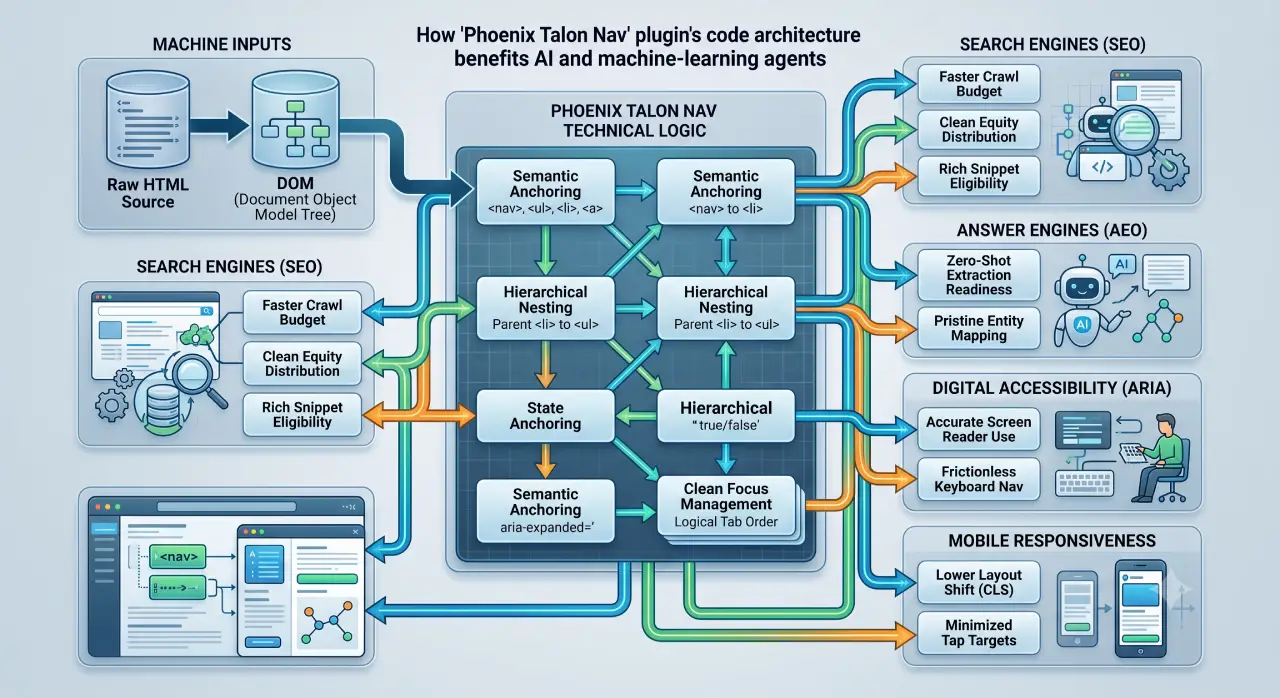
| Benefit | Description | Impact on Your Site |
|---|---|---|
| ARIA Compliant | Full support for screen readers and accessibility standards | Better inclusivity and stronger signals to AI systems |
| Lightweight Code | Minimal footprint with smart loading | Faster page speeds and improved Core Web Vitals |
| AEO Ready | Structured data and clear hierarchy optimized for answer engines | Higher chances of appearing in AI search results |
| SEO Friendly | No conflicts with Rank Math, Yoast, or All in One SEO | Seamless integration as a secondary layer |
| Easy Customization | Drag-and-drop style options and breakpoints | Professional results without hiring extra help |
| AI Search Visibility | Clean markup that helps AI understand site structure | More featured spots in generative answers |
These features make it one of the best WordPress plugin for mobile navigation available right now.
How This Plugin Helps with Answer Engine Optimization (AEO)
AEO is the next evolution after SEO. AI tools like ChatGPT, Perplexity, and Google's AI Overviews pull from sites with clear, well-structured content. Navigation plays a bigger role than most realize because it defines the site's information architecture.
Our wordpress plugin for ai search visibility ensures your menu items use proper labels and relationships. This helps AI systems map your content hierarchy accurately.
You do not need to replace your existing SEO plugin. Run our mobile nav WordPress plugin alongside Rank Math, Yoast, or All in One SEO with zero conflicts. It acts as a smart secondary layer focused purely on navigation excellence.
Will Optimizing for AI Hurt Traditional Readability Scores?
Some worry that AEO tweaks will tank their on-page SEO scores. The truth is that thoughtful optimization can occasionally flag minor readability issues if headings or structure change too much.
Our plugin helps here. It improves navigation without forcing major content rewrites. The result? Better AI visibility while maintaining or even boosting your traditional scores. Many clients see both metrics climb after implementation.
Real Results from Real Sites
One small business client switched to our WordPress plugins and noticed their mobile bounce rate drop by over 30% within weeks. Pages started ranking better in AI summaries because the site felt more authoritative and easy to parse.
Another e-commerce store saw improved conversion rates on mobile because customers could actually find what they needed without frustration. These are the kinds of wins that happen when you pick the right tools.
As a UX professional who also handles development, SEO, content, and promotion, I built this plugin to fill a real gap. Most solutions require multiple specialists. This one gives you everything in a single, smart package.
Common Questions About AEO WordPress Plugins 2026
Will an AEO plugin conflict with my existing Rank Math, Yoast SEO, or All in One SEO setup? No. Our tool is designed to complement these plugins. It focuses only on navigation and does not touch core SEO functions.
Do I completely replace my traditional SEO plugin, or should I run an AEO tool as a secondary plugin layer? Keep your main SEO plugin. Use our solution as the specialized secondary layer for mobile navigation excellence.
Will optimizing my content structure for AI answer synthesis hurt my traditional on-page readability scores? It can sometimes create minor flags, but our plugin minimizes that risk by handling navigation cleanly and efficiently. Most users see overall improvements.
More Tips for Better Mobile Performance
Combine this plugin with strong core web vitals practices. Compress images, use a good caching solution, and keep your theme lightweight. Test everything with Google's Mobile-Friendly Test and PageSpeed Insights.
Focus on clear calls-to-action in your menus. Make important pages easy to reach in one tap. These small details add up to big gains in both user satisfaction and AI favorability.
Internal navigation structure matters too. Link to your pillar content like our WordPress category page for better topical authority.
Ready to Transform Your Mobile Experience?
Stop settling for average navigation that holds your site back. The best WordPress plugin for mobile navigation deliver speed, accessibility, and AI-ready optimization in one lightweight package.
Our plugin is built by someone who wears all the hats: designer, developer, UX expert, SEO pro, and content creator. It solves the exact problems small businesses face when chasing AI traffic.
Download the plugin now and start seeing better mobile engagement and improved AI search visibility today. Your visitors (and the answer engines) will thank you.
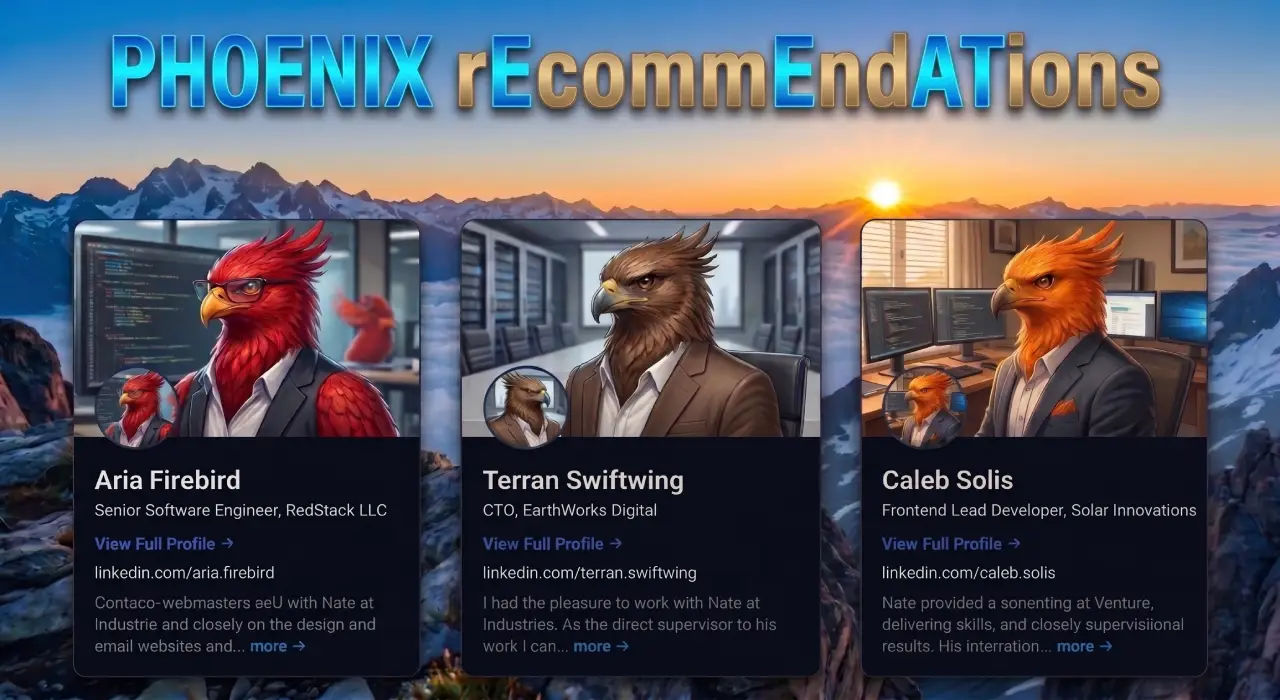
Phoenix rEcommEndATions
Automates E-E-A-T social proof with a zero-JS CSS marquee, native media uploader, and automated Review, Person, & Organization JSON-LD schemas.
Plugin Page →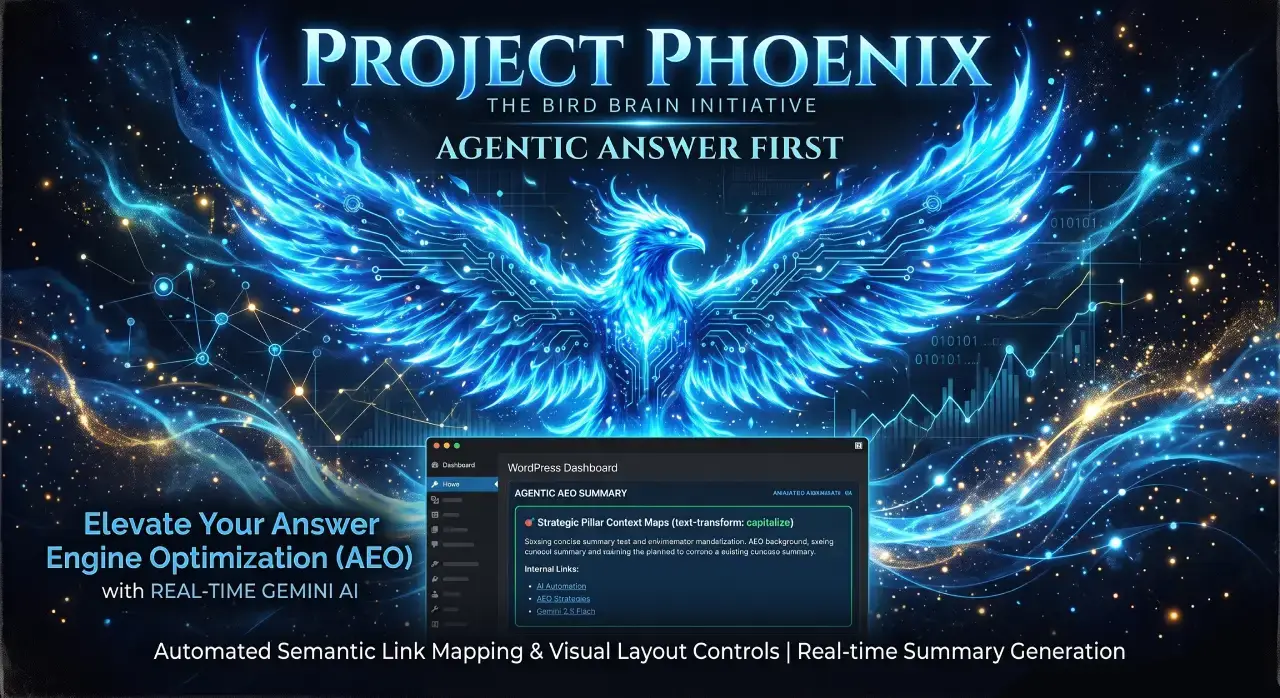
Phoenix Agentic Answer First
Dynamically adds Answer First paragraphs to posts for better LLM inclusion powered by real-time Gemini 2.5 Flash AEO summaries.
Plugin Page →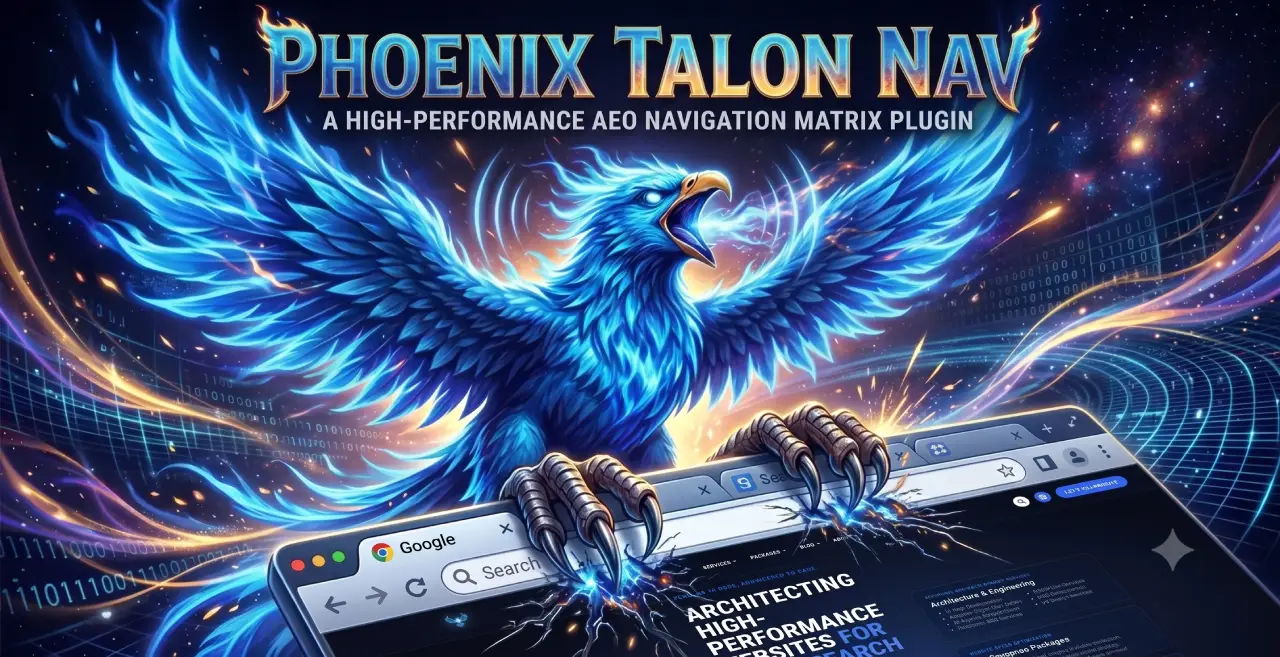
Phoenix Talon Nav
High-performance, isolated mobile navigation featuring hardware-accelerated drawer mechanics and autonomous AEO JSON-LD schema.
Plugin Page →
Phoenix E-E-A-T Author & Schema Engine
Generates enterprise-grade E-E-A-T author cards with dynamic Person JSON-LD Schema graphs to feed entity data to AI search engines.
Plugin Page →
Phoenix Topic Generator
Content ideation engine that dynamically monitors custom publications and targeted keywords to generate article ideas using Gemini.
Plugin Page →
Phoenix Hardened Hub Handshake
Enterprise-grade AI hub featuring Intelligent Entity Filtering, Content Negotiation, and a token-secured OpenAPI manifest.
Plugin Page →
Phoenix Sensor LLM Dashboard
Modular AEO Intelligence Platform tracking 24H LLM movement and percentage of site traffic originating from AI search agents.
Plugin Page →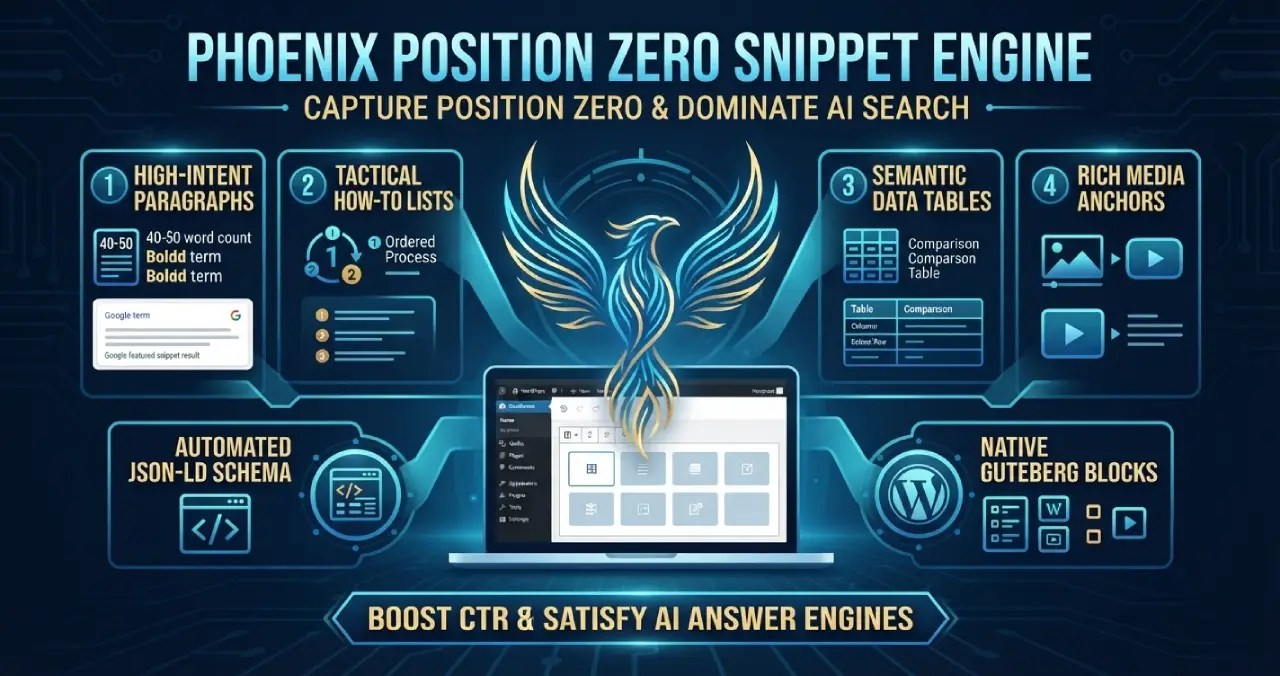
Phoenix Position Zero Snippet Engine
Engineered to optimize content structures for featured snippets, zero-click answer boxes, and direct LLM retrieval with automated JSON-LD.
Plugin Page →
Phoenix rEcommEndATions
Automates E-E-A-T social proof with a zero-JS CSS marquee, native media uploader, and automated Review, Person, & Organization JSON-LD schemas.
Plugin Page →
Phoenix Agentic Answer First
Dynamically adds Answer First paragraphs to posts for better LLM inclusion powered by real-time Gemini 2.5 Flash AEO summaries.
Plugin Page →
Phoenix Talon Nav
High-performance, isolated mobile navigation featuring hardware-accelerated drawer mechanics and autonomous AEO JSON-LD schema.
Plugin Page →
Phoenix E-E-A-T Author & Schema Engine
Generates enterprise-grade E-E-A-T author cards with dynamic Person JSON-LD Schema graphs to feed entity data to AI search engines.
Plugin Page →
Phoenix Topic Generator
Content ideation engine that dynamically monitors custom publications and targeted keywords to generate article ideas using Gemini.
Plugin Page →
Phoenix Hardened Hub Handshake
Enterprise-grade AI hub featuring Intelligent Entity Filtering, Content Negotiation, and a token-secured OpenAPI manifest.
Plugin Page →
Phoenix Sensor LLM Dashboard
Modular AEO Intelligence Platform tracking 24H LLM movement and percentage of site traffic originating from AI search agents.
Plugin Page →
Phoenix Position Zero Snippet Engine
Engineered to optimize content structures for featured snippets, zero-click answer boxes, and direct LLM retrieval with automated JSON-LD.
Plugin Page →Custom WordPress Plugins Built for Speed.
Stop relying on bloated third-party plugins that slow down your database and ruin your Core Web Vitals. I engineer lightweight, single-purpose WordPress plugins designed specifically around your exact business workflows and performance goals.


Free Website Performance Report
Get your free 60-second website audit to uncover the hidden code bottlenecks currently costing you customers.